
 GER
GER  EST
EST Regio API services are now available in QGIS
Automatic Translation by ChatGPT
We have good news for all QGIS users! We have created the Regio QGIS plugin, which allows you to use Regio’s Baltic data directly in QGIS. Our API services are immediately available in your map project, and everything works in the same environment — simply and conveniently.
With the plugin, you can perform address searches in Estonia, Latvia, and Lithuania, and use reverse geocoding — just click on the map and get an address in return.
The route planning feature finds a suitable route. You can choose different travel modes, such as truck, car, or on foot. If your route includes multiple stops, you can also use route optimization. This helps you find the most efficient stop order and reduce the total distance traveled.
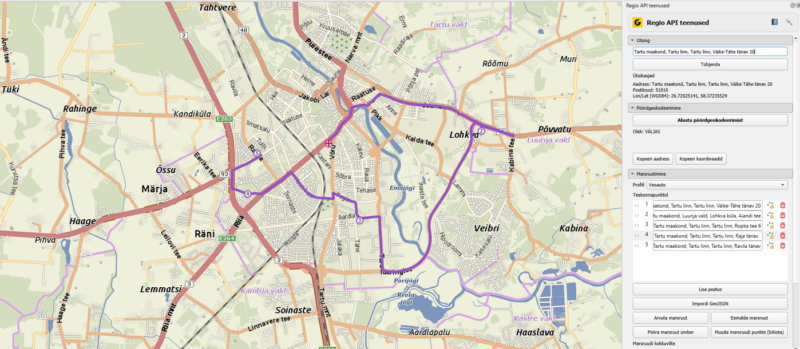
As a base map, you can use the Regio Baltic WMS map, which provides your project with a detailed and professional background.
All services work within the same QGIS environment — without separate development or complicated integrations.
Installing the Plugin
Installing the plugin is simple — it can be found in the official QGIS plugin repository. In QGIS, open Plugins → Manage and Install Plugins, search for Regio API Plugin, and install it. An API key is required to use the plugin. To obtain one, please contact us at: geospatial@regio.ee.
After entering the API key in the plugin settings, you can start using the services right away.
The service is billed monthly, and the price depends on usage volume and the selected services.
Regio QGIS plugin is intended for everyone working with Baltic geospatial data who wants reliable and professional services directly in their map project or workflow tool.
 Kaspar Uba