
 GER
GER  EST
EST How to Choose the Right Basemap for Your Map Application?
WMS, TMS, WMTS, Vector and Orthophotos Explained
Automatic Translation by ChatGPT
What lies behind a smooth and detailed map application? Whether it is a logistics platform, a location-based service, or a specialized information system, the foundation is a reliable basemap.
When choosing the technology, you may come across a whole range of abbreviations: WMS, TMS, WMTS, vector map, orthophoto. At first glance, it can seem overwhelming. In reality, each has its own clear purpose. Let’s take a look at the differences and how to make the most suitable choice
Different Map Technologies: What Is What?
The choice of basemap depends on what is expected from the application: flexibility, speed, or a modern visual appearance.
1. WMS – Web Map Service: Flexibility and Dynamic Rendering
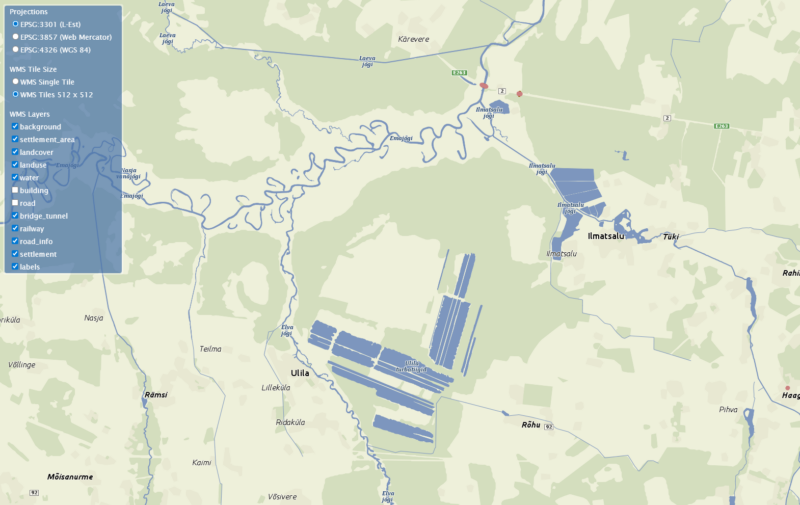
WMS is a server-based solution in which the map image is generated in real time according to a specific request and the selected data layers. Unlike a pre-rendered image, the map view is drawn directly from source data, giving both the developer and the end user the freedom to choose exactly what information is displayed on the screen. For example, with a single action you can turn off buildings and roads to keep only forests and water bodies in focus.
This kind of flexibility makes WMS the best choice for complex systems where data needs to be displayed dynamically and in different combinations.
To ensure that this level of dynamic functionality works smoothly even in more complex systems, Regio’s WMS service supports multiple coordinate systems, making integration with existing software simple and reliable.
2. TMS – Tile Map Service and WMTS – Web Map Tile Service: Maximum Speed
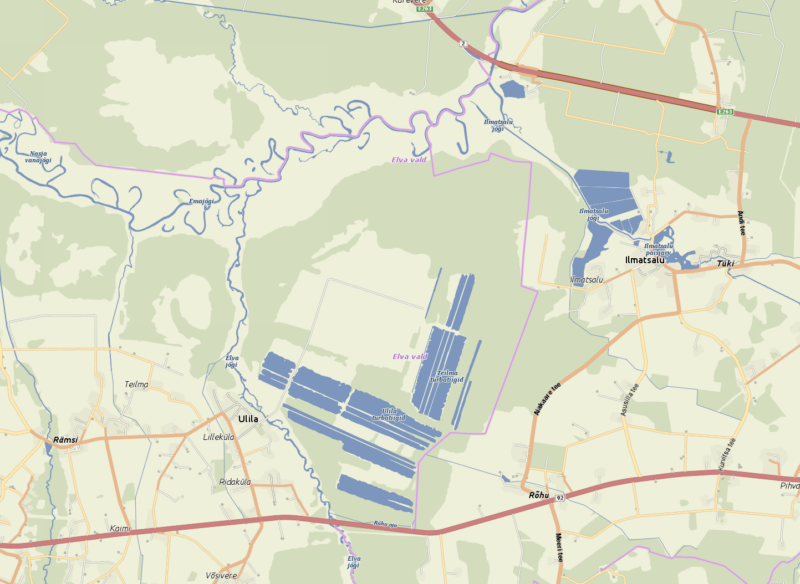
TMS and WMTS work on a different principle. Here, the map is not redrawn for every request; instead, pre-generated raster map tiles are used.
This means that all parameters—zoom levels, style, projection, and layers—are predefined. WMTS follows the OGC (Open Geospatial Consortium) standard, which provides common rules for delivering map data, ensuring that the same map layers work consistently across different GIS applications.
This approach makes it possible to achieve very fast loading speeds and reduce server load. Regio’s raster maps are pre-generated in top quality, ensuring smooth application performance even with a large number of users.
3. Vector Maps: A Modern User Experience and 3D Capability
A vector map is smart and interactive. Data is sent to the device as vectors and rendered into a map only on the user’s screen. As the map is moved or zoomed, new data is continuously requested from the server.
This approach gives developers considerable freedom. The map can be rotated, tilted, and displayed in 3D, animations can be added, and the visual style (such as colors) can be customized. It is a suitable choice when the goal is to create a distinctive and interactive user experience.
Attention! Because the image is rendered on the end user’s device, the display speed of a vector map depends on the capability of the graphics card.
4. Orthophoto: Digital Reality
An orthophoto is not a drawn map, but a georeferenced aerial photograph or satellite image. It provides the most visually realistic representation of the actual landscape. Orthophotos are often used as a background layer together with other map layers (a hybrid view) to give the user a clearer and more realistic understanding of the surrounding environment and the location of objects. In this case, the orthophoto also functions as a basemap.
In summary
- WMS is the right choice when you need dynamic functionality and the ability to switch layers on and off.
- TMS or WMTS is the best option when the goal is a fast-loading but fixed background map.
- Vektorkaart are ideal when you want to provide a modern user experience with rotation, 3D support, and customizable colors.
- Ortofoto is a photograph of the real landscape.
High-quality and location-accurate data are among the most important factors in the success of any map application.
 Alisa Lillemets